[PAID] ScanKit: AI enabled feature-rich Document Scanner (INR 551 or $8)
Using this extension you can use AI features of ML Kit to scan documents.Once the document scanner flow is triggered from your app, users retain full control over the scanning process. They can optionally crop the scanned documents, apply filters, remove shadows or stains, and easily send the digitized files back to your app.
1. Overview
Latest Version: 2
Released: April 5, 2024
Last Updated: May 7, 2024
Key Features:
High-quality and consistent user interface for digitizing physical documents.
Automatic capture with document detection.
Accurate edge detection for optimal crop results.
Automatic rotation detection to show documents upright.
Editing functionalities to crop, apply filters, remove shadows, clean stains, and seamlessly send digitized files back to your app.
On-device processing, preserving user’s privacy.
No camera permission is needed from your app.
2. Blocks
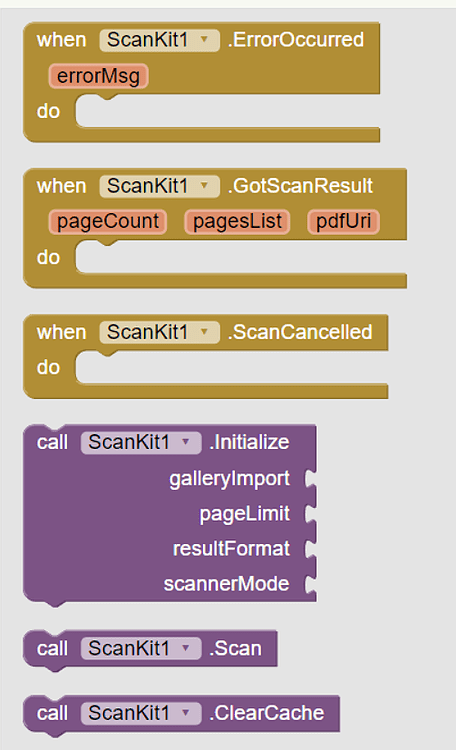

3. Documentation
ScanKit
ErrorOccurred | Event raised when any error occurs |
GotScanResult | Event raised after getting scanning results |
ScanCancelled | Event raised when scanning is cancelled by user |
Initialize | Initialize Scanner with specified parameters |
Scan | Launch Document Scanner activity |
ClearCache | Clear cache from device |
Share | Shares given file |
ResultFormatJPEG |
|
ResultFormatPDF |
|
ResultFormatBoth |
|
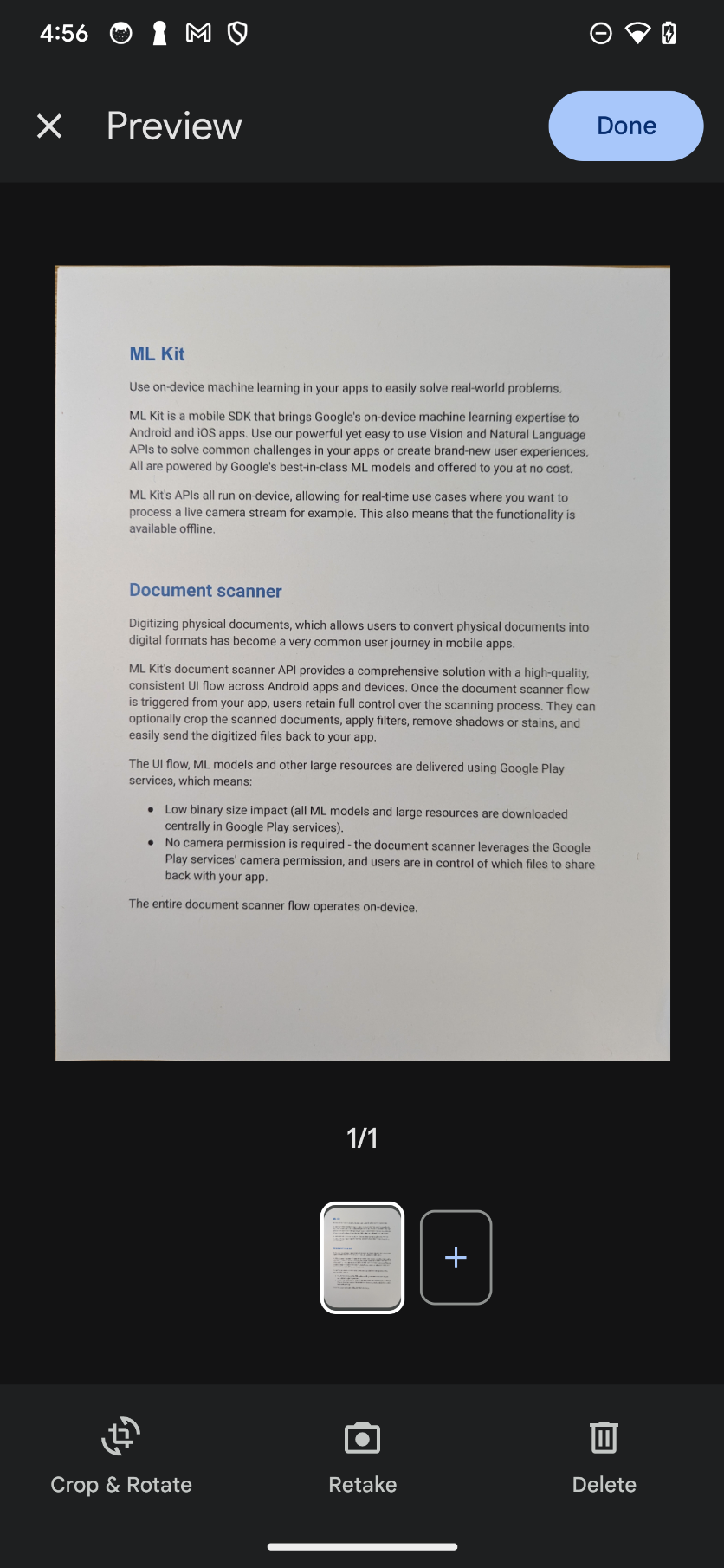
ScannerModeFull | Adds ML-enabled image cleaning capabilities (erase stains, fingers, etc…) to the BaseWithFilter mode |
ScannerModeBase | Basic editing capabilities (crop, rotate, reorder pages, etc) |
ScannerModeBaseWithFilter | Adds image filters (grayscale, auto image enhancement, etc…) to the Base mode. |
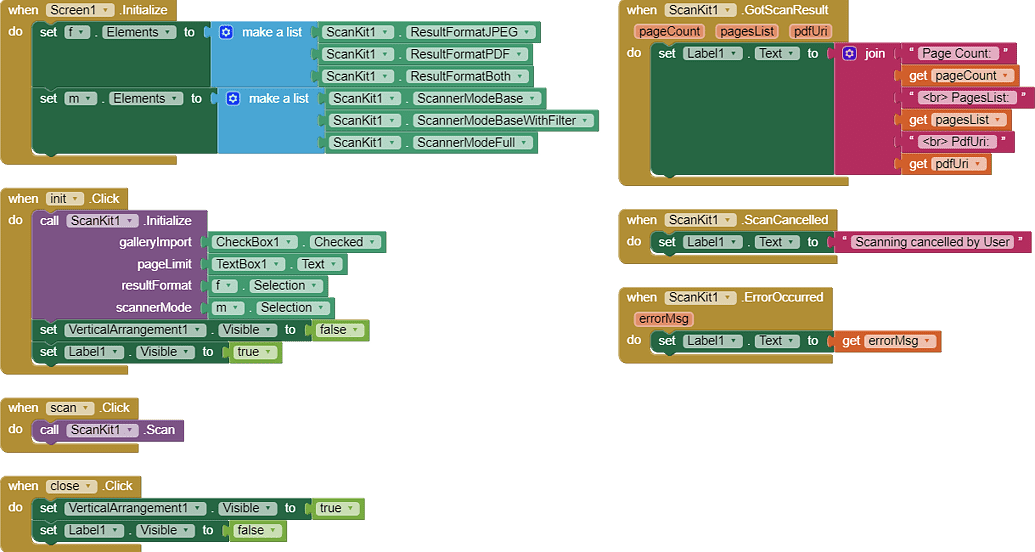
4. Usages
5. Samples and Demos
Scanner Modes
Base mode | Base mode with filter | Full mode |
|---|---|---|
 |  |  |
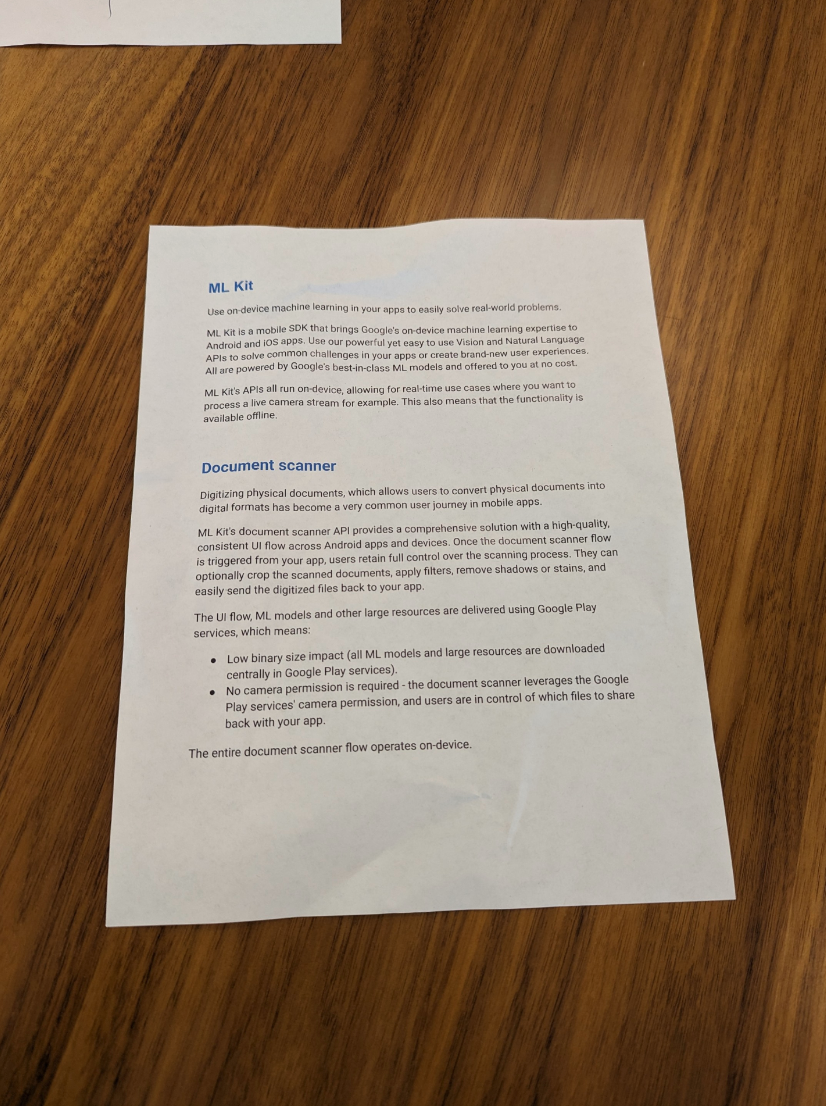
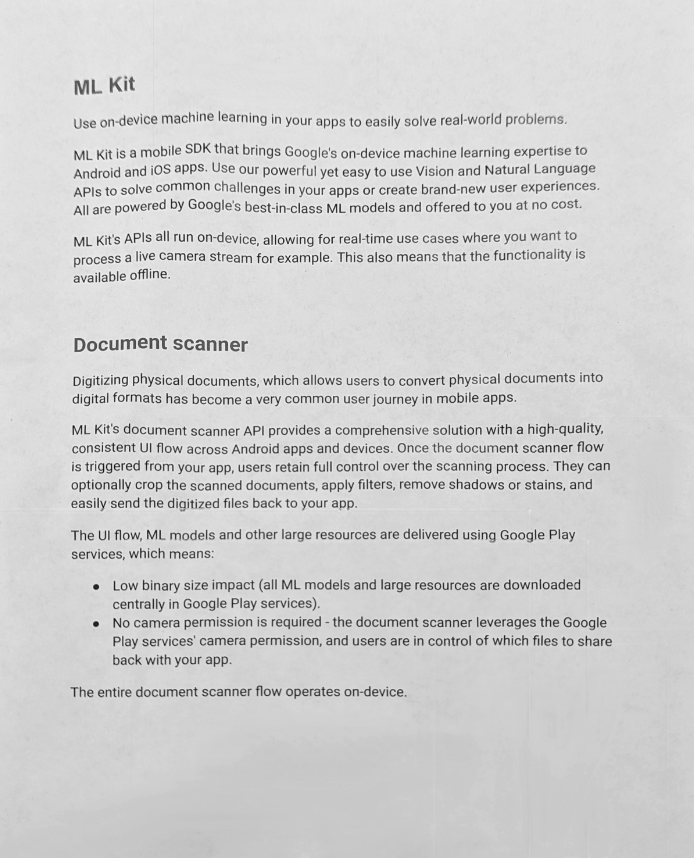
Example results
Original picture | Scanned document with perspective corrected, wrinkle removed and grayscale filter applied |
|---|---|
 |  |
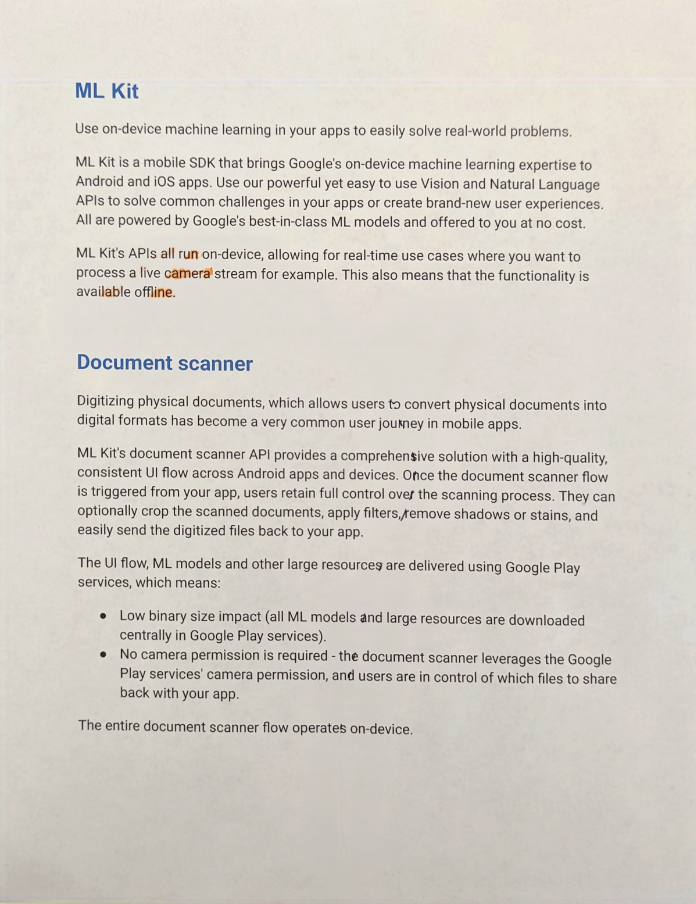
Original picture | Scanned document auto-rotated with stain removed and color filter applied |
|---|---|
 |  |
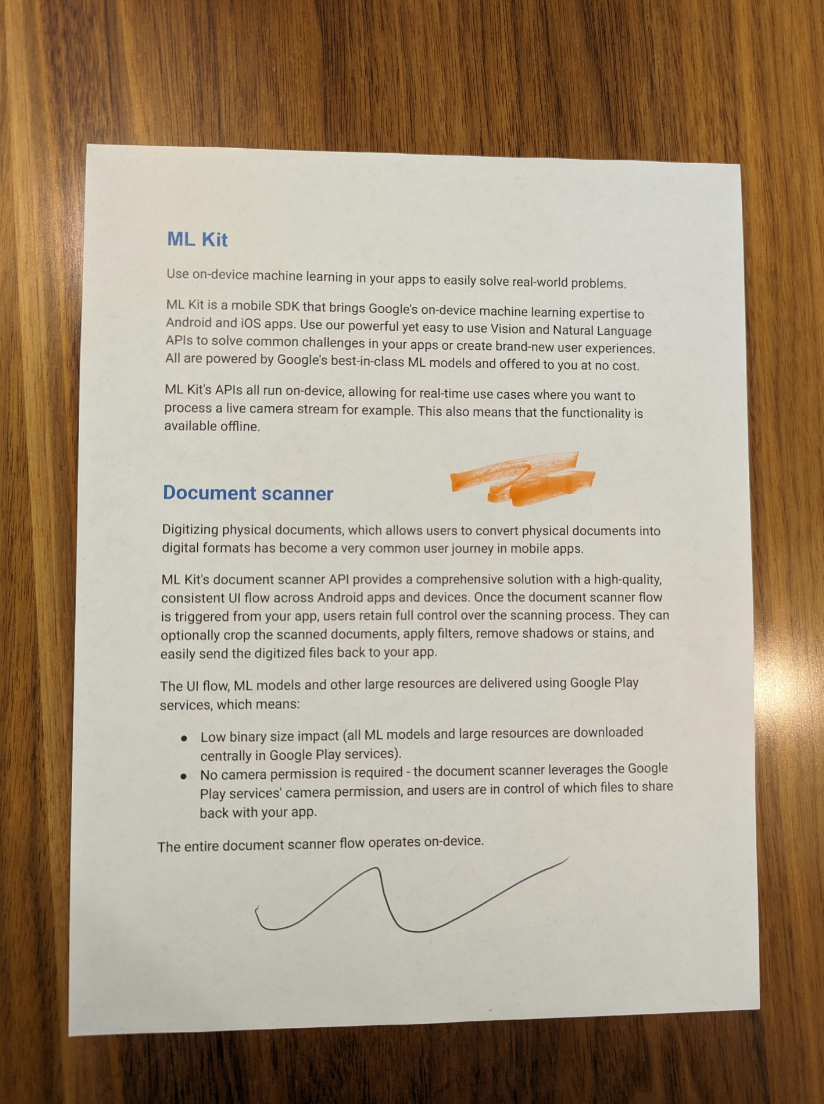
Original picture | Scanned document with stain removed and auto filter applied |
|---|---|
 |  |
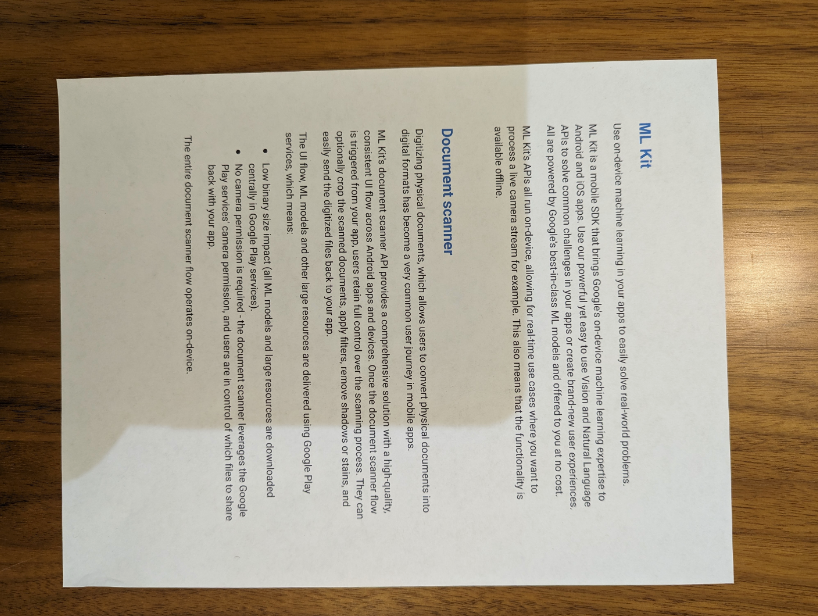
Original picture | Scanned document auto-rotated with shadow removed and auto filter applied |
|---|---|
 | 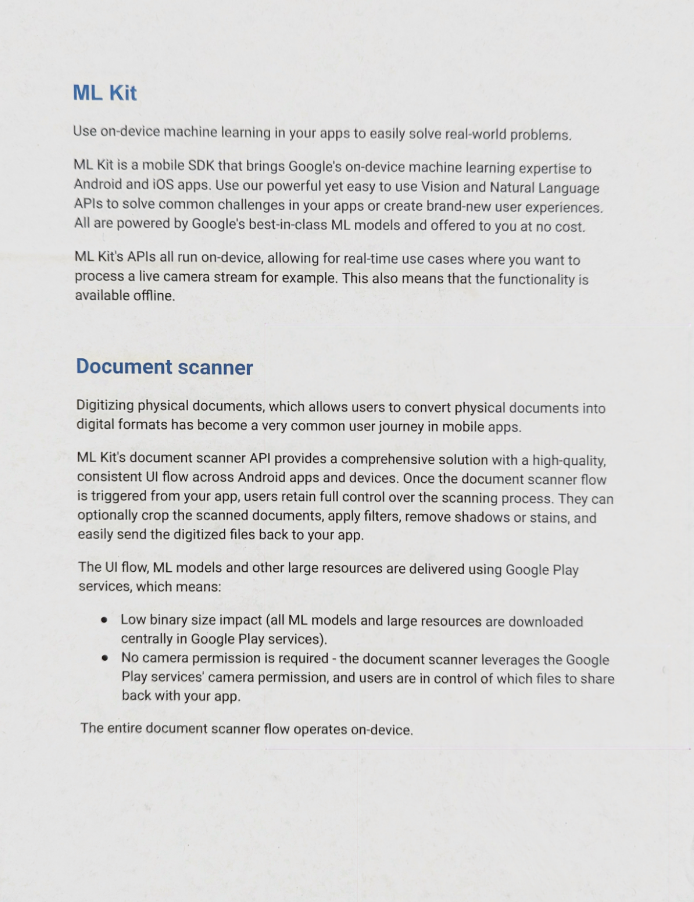 |
Original picture | Scanned document auto-rotated with finger removed and auto filter applied |
|---|---|
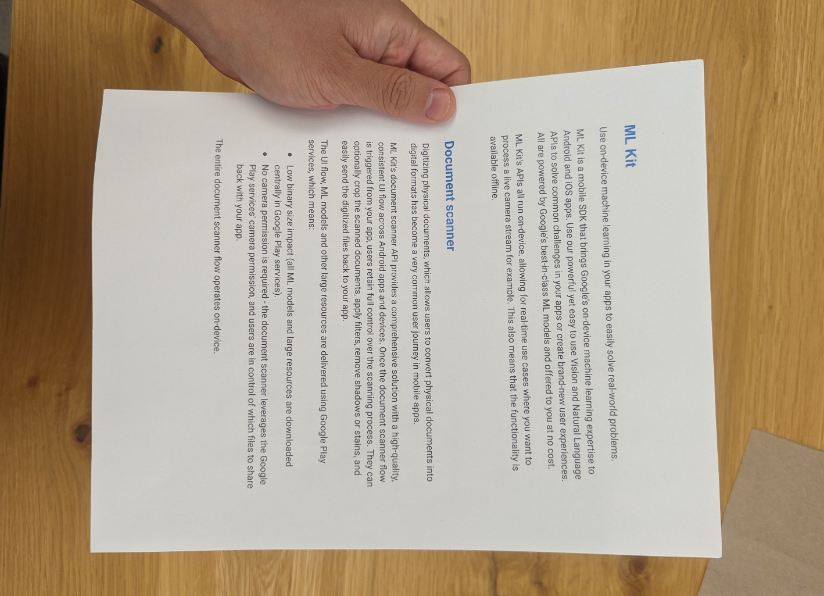 | 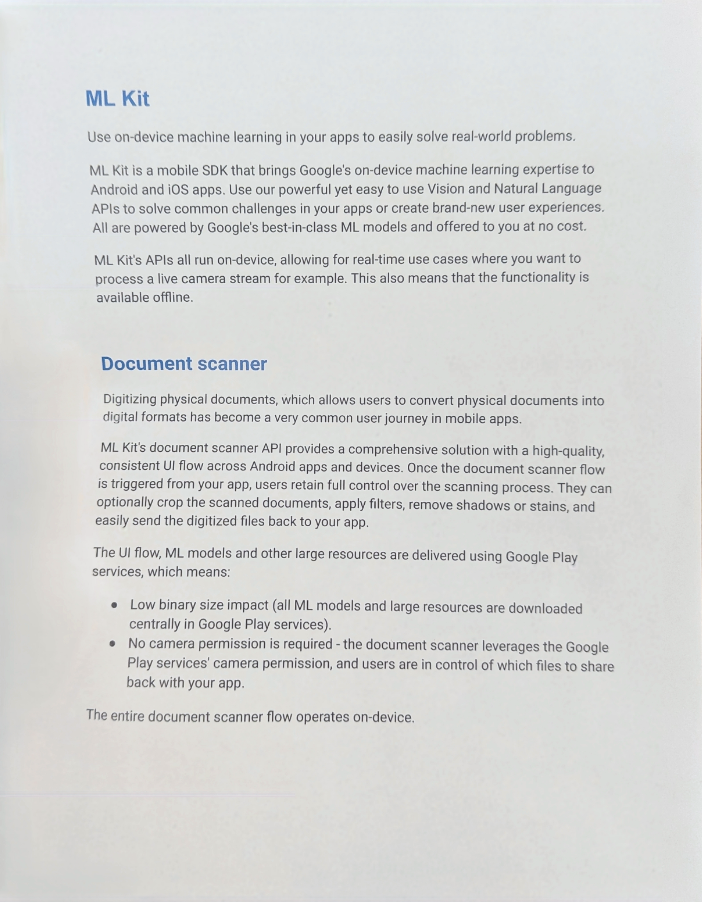 |
Demo video
https://drive.google.com/file/d/1btMoI7z16_HnCk3D4hDscUnWUSItWi-6/view?usp=drivesdk
6. Purchase
7. ChangeLogs
Version 2 ▼
Reduced aix size to 977kb
Extension does not crash companion now
Though it will not work in companionAdded no conflict version as well to integrate other ML Kit extensions also in you project
Thank you.
Hope it helps!